const regex = /^(-{3}|[+]{3})$[^\1]*?^\1$/gm;
// Alternative syntax using RegExp constructor
// const regex = new RegExp('^(-{3}|[+]{3})$[^\\1]*?^\\1$', 'gm')
const str = `---
title: 'Visual Spell Check'
categories: docs
# parent: Docs
nav_order: 4
---
# Visual Spell Check
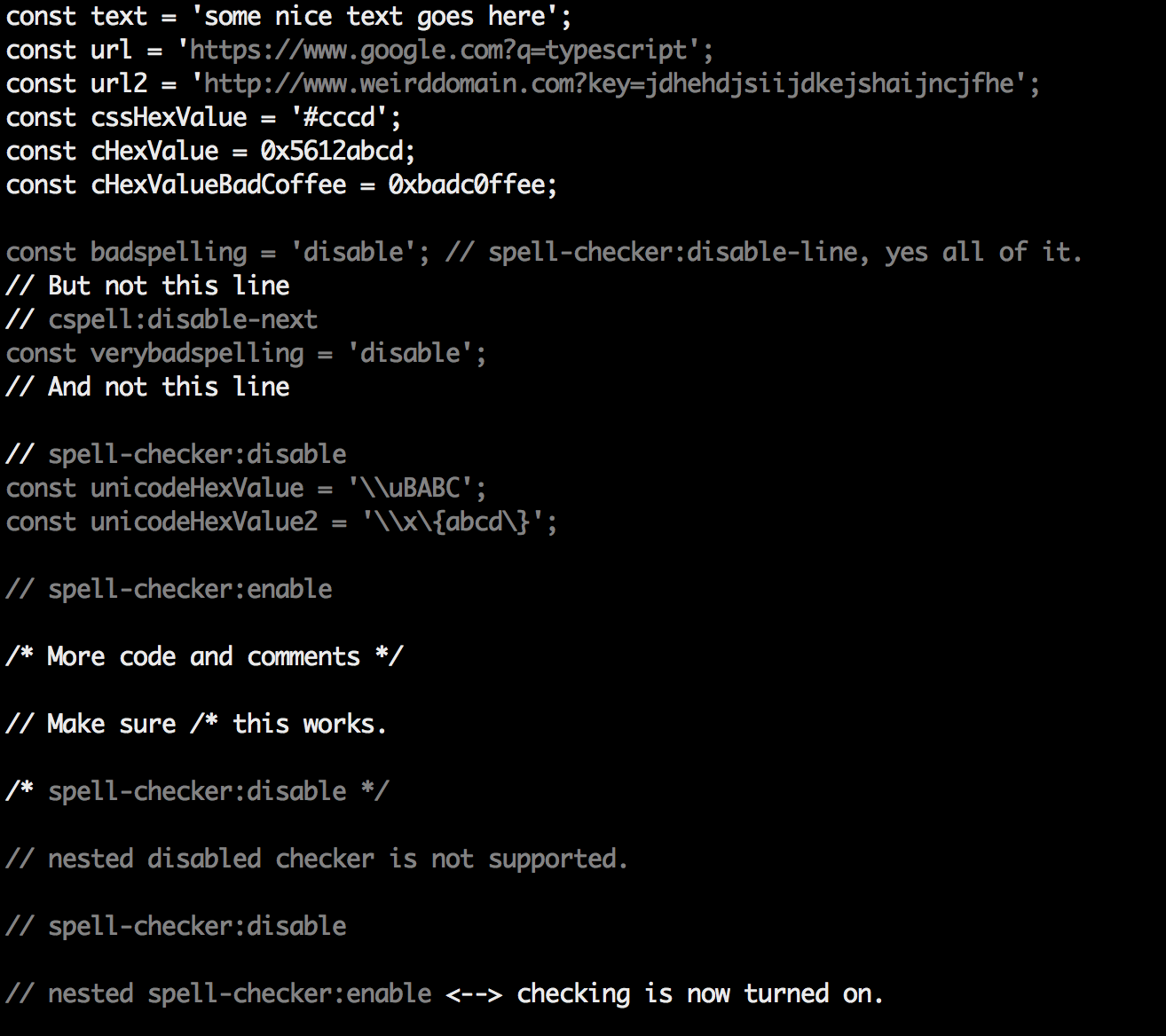
View the spell checking results in the document being checked.
## Command: \`check\` - Quick Visual Check
Do a quick visual check of a file. This is a great way to see which text is included in the check.
\`\`\`sh
cspell check <filename>
\`\`\`
It will produce something like this:
### Tip for use with \`less\`
To get color in less, use \`--color\` and \`less -r\`
\`\`\`sh
cspell check <filename> --color | less -r
\`\`\`
`;
// Reset `lastIndex` if this regex is defined globally
// regex.lastIndex = 0;
let m;
while ((m = regex.exec(str)) !== null) {
// This is necessary to avoid infinite loops with zero-width matches
if (m.index === regex.lastIndex) {
regex.lastIndex++;
}
// The result can be accessed through the `m`-variable.
m.forEach((match, groupIndex) => {
console.log(`Found match, group ${groupIndex}: ${match}`);
});
}
Please keep in mind that these code samples are automatically generated and are not guaranteed to work. If you find any syntax errors, feel free to submit a bug report. For a full regex reference for JavaScript, please visit: https://developer.mozilla.org/en/docs/Web/JavaScript/Guide/Regular_Expressions